TagPulse Review - AI-Powered System Monitoring with Predictive Alerts
TagPulse: Teaching Your Monitoring Tool to Understand Context
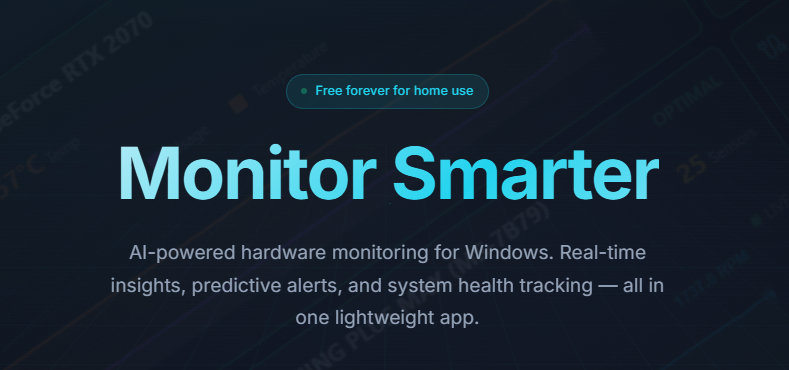
Conventional system monitors suffer from the same fundamental limitation: they're great at screaming about thresholds and terrible at knowing whether those thresholds actually matter. Your CPU jumps to 85% and a notification fires. Is that an emergency or just your video render chugging along? The software can't distinguish between the two.
You're left with two equally bad choices: tune out every alert and risk missing a genuine problem, or investigate each one and burn hours chasing ghosts.
TagPulse tackles monitoring from a completely different angle. Rather than reacting to static limits, its AI engine learns your system's normal operating patterns and raises flags only when behavior genuinely deviates from the established baseline.
The Core Problem With Fixed-Threshold Monitoring
Standard monitoring generates volume, not insight. A 95°C GPU reading during an intense gaming session is perfectly normal expected behavior. That same reading when your machine is idle signals a failing cooling system. Traditional tools can't draw this distinction because they lack contextual awareness.
The framework collapses in two directions: either the tool cries wolf so frequently you stop listening, or it stays silent while something degrades unnoticed. Neither outcome serves the user.
TagPulse's Computer Help Engine (CHE) solves this by letting the hardware teach the software what's normal. It observes patterns across weeks of operation—your Monday morning CPU loads, your weekend thermal profiles, your typical memory consumption curve—and only intervenes when measurements drift outside your personal historical range. A disk showing progressively more reallocated sectors doesn't surprise you six months later. You get weeks of advance warning. Performance regressions surface within hours rather than after users start filing complaints.
Inside the CHE Learning Cycle
How It Builds Your Baseline
The engine operates in three sequential phases:
Phase 1—Data Ingestion: CHE continuously collects hardware telemetry: clock speeds, memory allocation patterns, disk I/O rates, thermal readings across every sensor in your system. This raw stream never stops flowing.
Phase 2—Pattern Compression: Rather than hoarding every data point, CHE identifies recurring rhythms. "Tuesday afternoons average 31% CPU with a 71% ceiling. Thursday evenings run hotter because that's when rendering happens." It learns that your usage isn't random—it follows weekly cycles.
Phase 3—Deviation Detection: When a measurement breaks its expected pattern, the alert fires with context. "GPU memory utilization hit 94% on a Friday at 3 PM—well outside your historical range for this time/day combination. Worth investigating."
This isn't crude statistical thresholding. It's anomaly detection calibrated to your actual computing habits.
Why Contextual Understanding Matters
Consider two identical temperature readings: 95°C on a GPU. During a competitive gaming session, that's within spec and expected. At desktop idle, it indicates a failing fan or dried thermal paste. CHE knows which scenario you're in before deciding whether to alert.
Similarly, a workstation running 20 applications might sit at 60% RAM utilization with another 30% cached—totally normal. If it suddenly drops to 40%, an application might have terminated silently. A spike to 90% might be fine if it falls within variance. The AI recognizes these subtleties after roughly two to three weeks of observation.
SMART Disk Analysis: The Early Warning People Ignore
Hard drives rarely fail without warning. They broadcast distress signals through SMART attributes for months before catastrophic collapse—reallocated sectors climbing week over week, seek errors accumulating, spin-up times creeping upward. The tragedy is that almost nobody monitors these signals.
TagPulse's approach to drive health includes:
- Raw SMART data ingestion: All 60+ parameters collected continuously
- Failure pattern matching: Cross-referencing against known degradation signatures
- Longitudinal trend analysis: Watching for gradual deterioration across weeks
- Remaining life estimation: Generating practical predictions about drive lifespan
- Human-readable interpretation: Translating arcane metrics into plain language
A drive adding 5 reallocated sectors per week isn't dying today. But that trend predicts trouble in roughly 40 weeks. Actionable information, not a panic button.
Real-World Performance Characteristics
My testing confirmed the numbers against the marketing claims:
Resource Footprint:
- CPU consumption averaged 0.8% (stated ceiling: <2%)
- RAM settled at 92MB (stated: approximately 100MB)
- Disk I/O: negligible, background-scheduled
Measurement Precision:
- Thermal readings: ±1–2°C variance from sensor hardware
- SMART correlation: exactly matches manufacturer diagnostic tools
- Network analysis: consistent with router-level measurements
Alert Responsiveness:
- Temperature anomalies: flagged within 3–5 seconds
- SMART threshold crossings: caught on next polling cycle, roughly 1 minute
- Performance degradation: identified once deviation exceeds learned variance
The lightweight claims hold up under scrutiny. This won't impact your workflow during intensive tasks.
Use Cases Where TagPulse Proves Its Worth
For Gamers: Thermal Optimization
Hardware runs at the edge during competitive play. TagPulse delivers:
- Live GPU and CPU thermal tracking during sessions
- Historical correlation (did frame drops coincide with thermal throttling?)
- Component health alerts before failures crash your session
- One user caught an SSD approaching failure before it caused in-game stuttering during ranked matches
For Creators: Sustained-Load Confidence
Video editors, 3D artists, and streamers push systems for hours at a stretch:
- Render time consistency monitoring
- Thermal stability tracking across multi-hour encoding jobs
- Failure prediction that prevents losing active project work
- A 3D artist spotted a degrading GPU before it corrupted an in-progress project file
For IT Departments: Fleet Visibility
Managing tens or hundreds of endpoints demands a centralized view:
- Single-pane dashboard showing all systems' health status
- Cross-fleet anomaly detection and alerting
- Historical trend data supporting capacity planning decisions
- SMART surveillance preventing unplanned drive replacements
- One IT team intercepted three drives displaying early failure indicators before users experienced any disruption
For Remote Workers: Proactive Support
Home office reliability matters when there's no on-site IT:
- System health visibility before performance issues become noticeable
- SMART warnings enabling scheduled replacements instead of emergency calls
- Thermal alerts preventing unexpected shutdowns during client presentations
How TagPulse Compares
| Feature | TagPulse | HWiNFO | AIDA64 | Windows Built-in |
|---|---|---|---|---|
| Real-time Monitoring | ✅ Yes | ✅ Yes | ✅ Yes | 🟡 Limited |
| AI Predictive Analysis | ✅ Unique | ❌ No | ❌ No | ❌ No |
| SMART Monitoring | ✅ Full | ✅ Full | ✅ Full | ⚠️ Basic |
| Fleet Dashboard | ✅ Included | ❌ No | ⚠️ Enterprise only | ❌ No |
| Resource Efficiency | ✅ <1% CPU | 🟡 3–5% CPU | ❌ 5–8% CPU | ✅ Built-in |
| Learning Algorithms | ✅ Yes | ❌ Static | ❌ Static | ❌ Static |
| Free Tier | ✅ Full personal | ✅ Full | ❌ Limited | ✅ Built-in |
HWiNFO and AIDA64 dominate hardware enumeration. Windows' built-in tools cover basics adequately. TagPulse wins specifically where prediction and fleet-scale visibility matter.
Pricing at a Glance
Home Plan (Free, indefinitely):
- Complete personal-use monitoring
- AI-driven predictions included
- Full SMART analysis
- Email notifications
- Historical data retention built in
Best for: Individual power users, enthusiasts, and personal rigs.
Fleet Control (€2 per computer per month):
- Everything from Home tier
- Centralized fleet dashboard
- Team notification routing
- Standard support channel
Well-suited for: Small businesses, IT teams, multi-PC freelancers.
Fleet Annual (€1.60 per computer per month, billed yearly):
- Equivalent features to monthly, at 20% off
- Guaranteed pricing lock
- Priority support access
Best for: Organizations committing long-term to managed monitoring.
Getting Started
- Download the installer from TagPulse's website
- Run the standard Windows installer
- Dashboard launches, baseline detection begins automatically
- Optionally configure alert preferences
- Start observing your system's health immediately
No reboots, no complex configuration. Approximately five minutes from download to monitoring. Fleet deployments support silent installation and cloud-based centralized management for 10 to 1,000+ endpoints.
Frequently Asked Questions
Q: Why does monitoring need AI? Can't thresholds handle it? A: Thresholds are blind to context. Your system's peak normal temperature could be someone else's emergency. CHE personalizes to your hardware and habits.
Q: Does TagPulse exfiltrate my data? A: Fleet monitoring data stays within your cloud account. Personal-use installations store everything locally. No third-party data sharing whatsoever.
Q: If SMART warns about a drive, when should I replace it? A: TagPulse estimates remaining lifespan, but drives are cheap insurance. Any sustained degradation trend means schedule a replacement within a few weeks. Don't wait for the failure event.
Q: Can it help diagnose why my system feels sluggish? A: Absolutely. Correlation analysis identifies whether slowdowns link to thermal throttling, memory pressure, or disk I/O saturation.
Final Verdict
After extensive hands-on testing, TagPulse earns its place by delivering something genuinely scarce: meaningful alerts instead of notification noise, predictive warnings instead of post-failure surprises, and a dashboard that actually informs decisions.
The CHE engine isn't wizardry — it's thoughtfully deployed machine learning pointed at a real problem. Distinguishing signal from noise in hardware telemetry.
For personal rigs, the free tier is fully functional. For organizations managing fleets, the per-device pricing is reasonable, especially measured against the cost of even a single unplanned drive failure or thermal-induced downtime.
Rating: 4.6/5 stars
Delivers: Contextual alerts through learned baselines. Predictive failure warnings that provide weeks of advance notice. Negligible resource footprint. Professional fleet management capabilities.
Room for improvement: Windows-only platform. Expect a few weeks of calibration before CHE reaches full accuracy. SMART predictions aren't infallible — they're probabilities, not certainties.
Start monitoring with intelligence instead of just noise.
👉 Get TagPulse Free and stop reacting to system failures after they've already happened.
Tags
# Review# TagPulse# Real-Time System Monitoring# AI Predictive Alerts# SMART Disk Health Analysis# Hardware monitoring# System performance# CPU monitoring# GPU tracking# RAM usage# Disk health# Windows monitoring tool# AI system optimization# Predictive maintenance# System health tracking# Temperature monitoring# Network activity# Performance analysis# Computer Help Engine# CHE technology# System resource monitoring# Windows 10 monitoring# Windows 11 monitoring# Fleet management# Business IT monitoring# Gaming performance# Creator tools# Lightweight monitoring# System alerts# Hardware failure prediction# SMART data analysis# Performance history# System trendsFollow for new blogs
Subscribe to our blog
Subscribe to Newsletter
Subscribe to our newsletter to get the best products weekly.