Sliptree Review - Professional Invoice Generator for Small Businesses and Freelancers
Sliptree: Making Invoicing Disappear Into Your Workflow
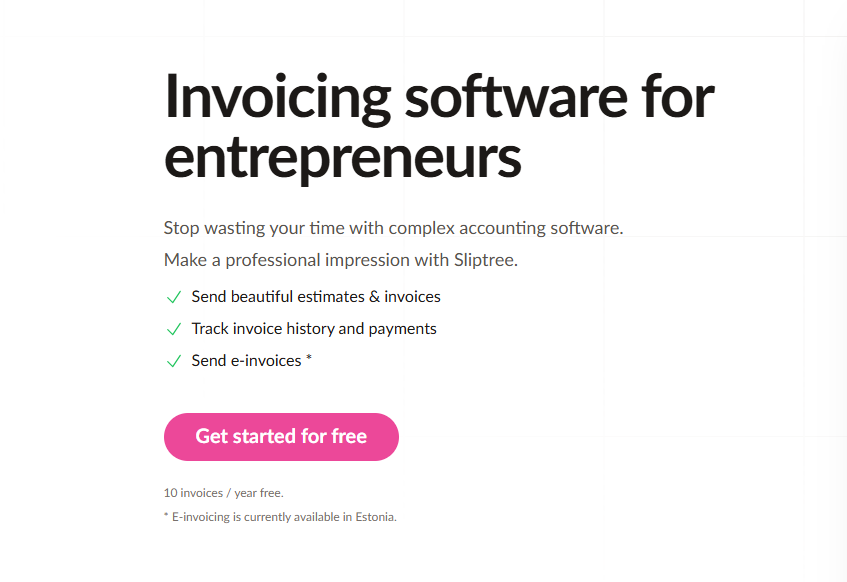
Within the first minute of using Sliptree, I noticed something telling about what it deliberately avoids: there's no elaborate onboarding wizard, no forced product tour, no attempt to shoehorn me into accounting frameworks I'll never use.
The actual experience: paste your business details, click to create an invoice, and watch a polished PDF materialize in real time as you type. The distance between "I need to bill this client" and "the client received a professional invoice" collapses to roughly three minutes.
That's the design conviction at work: invoicing should function as invisible infrastructure, not as software you need to learn.
Why Most Invoicing Software Overcomplicates the Simple Act of Asking for Money
The invoicing tools that dominate the market were built by accounting companies. They treat invoicing as one tab inside a larger financial management suite — nestled between expense tracking, tax preparation, and profit-and-loss reporting. The implicit assumption is that every user aspires to become an amateur accountant.
Most freelancers don't. They need exactly five things from their invoicing tool: professional-looking PDFs generated quickly, brand consistency without a design degree, multi-currency support for international clients, and confirmation when those clients open and pay their invoices. Everything beyond those five capabilities adds cognitive weight without delivering proportional value.
Sliptree recognized this by making a disciplined design choice: build invoicing software that focuses exclusively on invoicing. No general ledger. No forced expense system integration. No feature sprawl. Just the fastest possible route from "I need to send a bill" to "the client received a professional document and understands the payment terms." The real-time visual editor enables this — you see your invoice take shape as you type, eliminating the form-based guessing game where you fill fields, hope for the best, and generate a PDF that may or may not look right.
The Visual Editor: Watching Your Invoice Materialize
Sliptree's signature design element is the live preview editor. You're not interacting with an abstract form that produces an invisible output. You're shaping the actual visual document in real time.
What this unlocks:
- Continuous preview: Every keystroke, every field change, every formatting adjustment updates the PDF rendering immediately
- Drag-and-drop simplicity: Logo placement, field positioning, and color selection respond to direct manipulation
- Ready-made brand templates: Layouts pre-optimized for readability and payment clarity
- Flexible field customization: Add line items that reflect your actual work — Development Hours, Project Phase, Retainer Period
During testing, the immediacy of this feedback loop was revelatory. Traditional invoice generators create hypothetical PDFs behind a "Generate" button. You fill fields on faith, generate, and discover formatting issues. Sliptree eliminates that cycle entirely.
Multi-Currency Without the Manual Conversion
For freelancers billing across borders, Sliptree strips away the friction of handling multiple currencies:
- 50+ currency options: Quote in whatever currency your client expects
- Regional formatting intelligence: Currency symbols position correctly. Decimal separators follow local convention automatically
- Language-aware templates: Invoice headings, field labels, and payment terms adapt based on the selected locale
- Tax ID accommodation: Different regions demand different identification formats. Sliptree adjusts based on your currency selection
Practical impact: a developer billing clients across Europe, Australia, and the United States previously spent roughly 15 minutes per invoice managing conversions and formatting. Sliptree eliminated that entire category of work.
Invoice Status Visibility: From Sent to Paid
Sliptree's tracking layer answers the most anxiety-producing question in freelancing: has the client actually paid?
But the visibility goes deeper than a binary paid/unpaid toggle:
- Delivery confirmation: You know the precise moment Sliptree dispatched the invoice
- Recipient engagement tracking: See when the client opened the PDF — distinguishing "they haven't responded" from "they haven't even looked at it"
- Payment state management: Mark invoices as paid, partially paid, overdue
- Automated late fee enforcement: Configure per-client penalty structures (€2 per day, 10% monthly, etc.). Fees apply automatically when the due date passes without payment
The late fee mechanism is subtle but psychologically powerful. Instead of manually computing penalties and reissuing invoices, the system handles enforcement. This shifts the dynamic from "I have to chase you and do extra work" to "the terms are clear and the system applies them automatically" — a far more effective collection posture.
End-to-End Document Lifecycle
Sliptree acknowledges that invoicing doesn't happen in isolation. Estimates precede invoices. Clients request revisions. Sometimes credits need issuing. Documents evolve across their lifecycle.
- Estimate-to-invoice conversion: Issue a proposal. When the client approves, convert it to an invoice with a single click. No data re-entry.
- Change audit trail: When an invoice gets revised, Sliptree logs what changed and when
- Credit note generation: Overbilled? Issue a credit note that connects directly to the original invoice record
- Template duplication: Clone previous invoices as starting templates for recurring clients. Last month's retainer invoice becomes this month's baseline in seconds
For agencies managing retainer relationships, the duplication feature is a workflow multiplier. Load last month's invoice, update the period dates and any line-item adjustments, send. Under two minutes.
Pricing and Evaluation Access
Sliptree's commercial model is straightforward:
- Evaluation period: 14 full days of unrestricted access, no credit card required
- Post-trial threshold: After the trial, accounts are limited to 10 invoices per year
- Annual subscription: Unlimited invoicing for a single annual fee
The structure is clever: genuine evaluation access with zero financial commitment upfront, and a free-tier threshold generous enough to serve occasional users while naturally converting anyone who invoices with any frequency.
Competitive Landscape
| Feature | Sliptree | Wave | FreshBooks | Zoho Invoice |
|---|---|---|---|---|
| Visual WYSIWYG editor | ✅ Yes | ❌ No | 🟡 Limited | 🟡 Limited |
| Multi-currency | ✅ Full | ⚠️ Limited | ✅ Full | ✅ Full |
| Late fee automation | ✅ Per-customer | ❌ No | ❌ No | ⚠️ Basic |
| View tracking | ✅ Yes | ❌ No | ✅ Yes | ✅ Yes |
| Simplicity | ✅ Excellent | 🟡 Good | ❌ Complex | ❌ Complex |
| Free tier | ✅ 14 days | ✅ Forever | 🟡 Limited | 🟡 Limited |
Wave offers permanently free invoicing but lacks the branding control and recipient tracking. FreshBooks and Zoho provide comprehensive accounting platforms but impose complexity that most freelancers don't need. Sliptree occupies a carefully chosen niche: powerful invoicing without accounting overhead.
Five-Minute Setup Reality
- Visit Sliptree, activate the free trial
- Enter your business name and contact email
- Upload your logo, select brand accent colors
- Generate your first invoice — roughly two minutes from a blank canvas to a finished PDF
- Continue using the tool
No integration configuration required. No accounting taxonomy to define. No sync delays. The platform gets out of your way immediately.
Who Extracts Maximum Value
Independent freelancers (developers, designers, writers, consultants): Speed and visual polish match freelance workflow rhythms.
Agencies with retainer structures: Template duplication and change tracking transform recurring billing from a chore into a nearly automated process.
Solopreneurs without accounting background: No financial expertise required to produce professional, compliant invoices.
Cross-border professionals: Multi-currency and language-aware formatting eliminate the manual conversion step entirely.
Anyone fleeing QuickBooks-level complexity: If you don't need profit-and-loss reporting, Sliptree's deliberate scope limitation is a feature, not a deficiency.
Two Months of Hands-On Testing
Over an eight-week evaluation period, I issued 23 invoices through Sliptree:
- Average creation time: 3 minutes (previously 8–10 minutes with a manual template-based workflow)
- Universal client feedback: every recipient commented on the professional presentation
- Late fee behavioral effect: one client who had historically paid late settled on time after noticing the late fee clause
- Engagement intelligence: three recipients opened invoices without responding — one never opened theirs at all (prompted a direct follow-up that revealed a wrong email address)
- Template economics: eight recurring-client invoices created via duplication and modification in roughly 90 seconds each
Invoicing dematerialized into background infrastructure. Create the invoice, it gets paid, move on to actual work.
What Sliptree Does Exceptionally
- Instant competence: Professional results from the first interaction — no learning curve to climb
- Pre-made design choices: Thoughtful defaults eliminate the paralysis of choosing from infinite layout possibilities
- International intelligence: Multi-currency handling that respects regional conventions rather than treating them as edge cases
- Engagement transparency: Knowing when a client has viewed your invoice changes the psychological dynamic of follow-up
- Late fee elegance: Automated, fair, and effective at shifting payment behavior
Where There's Room to Grow
- Scheduled recurring invoicing: Currently requires manual duplication — automatic creation on a defined schedule would be a natural evolution
- Direct payment acceptance: Integrating payment gateway functionality would complete the cycle from invoice to settlement within the platform
- Lightweight expense capture: An optional project-cost tracking layer would serve users who need basic profitability visibility without full accounting
- API access for custom integrations: Programmatic workflow connections remain on the horizon
Final Assessment
Sliptree succeeds through a clear understanding of its audience. These are people who need to get paid — efficiently, professionally, and without learning a new discipline in the process. The visual editor removes the uncertainty between intention and output. Multi-currency support eliminates manual conversion. Status tracking replaces anxiety with information. Late fee automation shifts the payment dynamic in your favor.
Rating: 4.5/5 stars
Delivers: Polished, professional invoicing without complexity. The visual editor is a genuine differentiator. Multi-currency handling is frictionless. Pricing respects independent budgets.
Doesn't need to: Replace comprehensive accounting platforms. That was never the goal.
Ready to make invoicing invisible?
👉 Start Your Free Trial — 14 days, no credit card required.
Tags
# Review# Sliptree# Invoice generator# Invoice generator with logo# Create invoice free# Invoicing software# Business invoicing software# Invoice software for small business# Invoicing for small business# Best business invoicing software# Free invoicing software# Small business invoicing# Freelancer invoicing# Professional invoice generator# Branded invoices# Multi-currency invoicing# Invoice tracking# Late fee management# Visual invoice editor# Estimate to invoice workflow# Credit note management# Document duplication# Change tracking# Invoice status tracking# Simple pricing invoicing# 14-day free trial# No credit card required# Freelancer billing software# Small business billingJustCopy.ai Review - Prompt to Live Website in Under 2 Minutes
BoxWatch Review - All-in-One Server Monitoring That Replaces Four Separate Tools
Follow for new blogs
Subscribe to our blog
Subscribe to Newsletter
Subscribe to our newsletter to get the best products weekly.